
Put analog cameras on your IP network.
The DT-6504S turns four AHD, TVI, CVI or CVBS cameras into standard ONVIF and RTSP streams, recorded by any NVR, viewed in any VMS, and watched from your phone. Keep the cameras and the coax you already have.
- 4 BNC inputs
- Up to 5MP
- H.265 / H.264
- ONVIF + RTSP
- HDMI + VGA out
- XMEye cloud
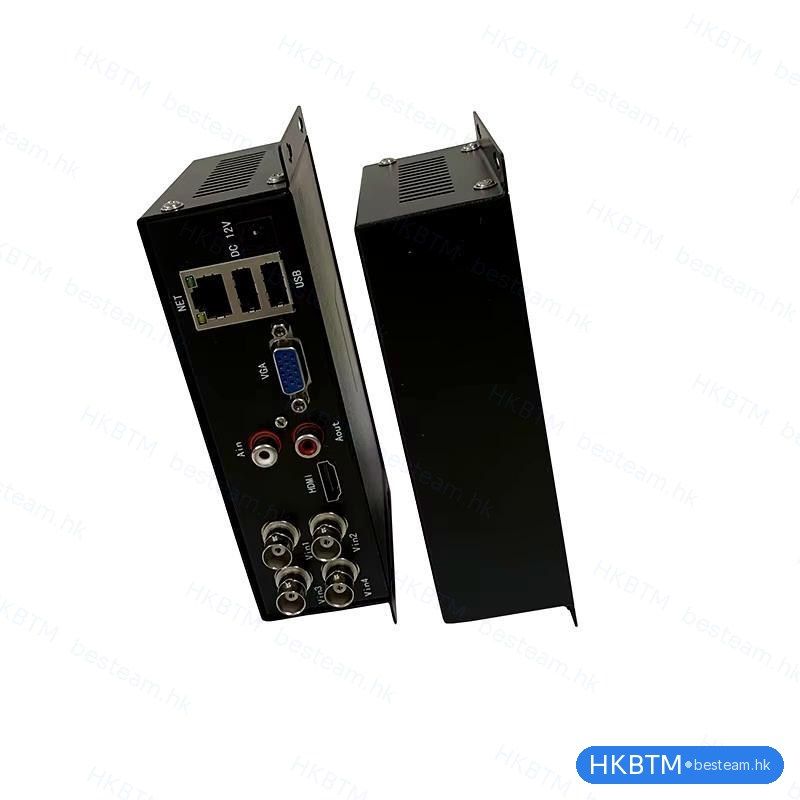
How it works
One box between your cameras and your network.
Analog video comes in over the coax you already ran. The encoder digitizes and compresses all four channels, then publishes them as network streams while also driving a local monitor. No re-cabling, no camera swap.
Four channels, one device
Consolidate up to four analog cameras into a single compact encoder with one network drop and one power supply.
Speaks the standards
ONVIF and RTSP output means it drops into third-party NVRs and VMS platforms as if it were a set of native IP cameras.
Local and remote, together
Watch on a connected HDMI/VGA monitor, across the LAN in a browser, or anywhere through the free mobile app.
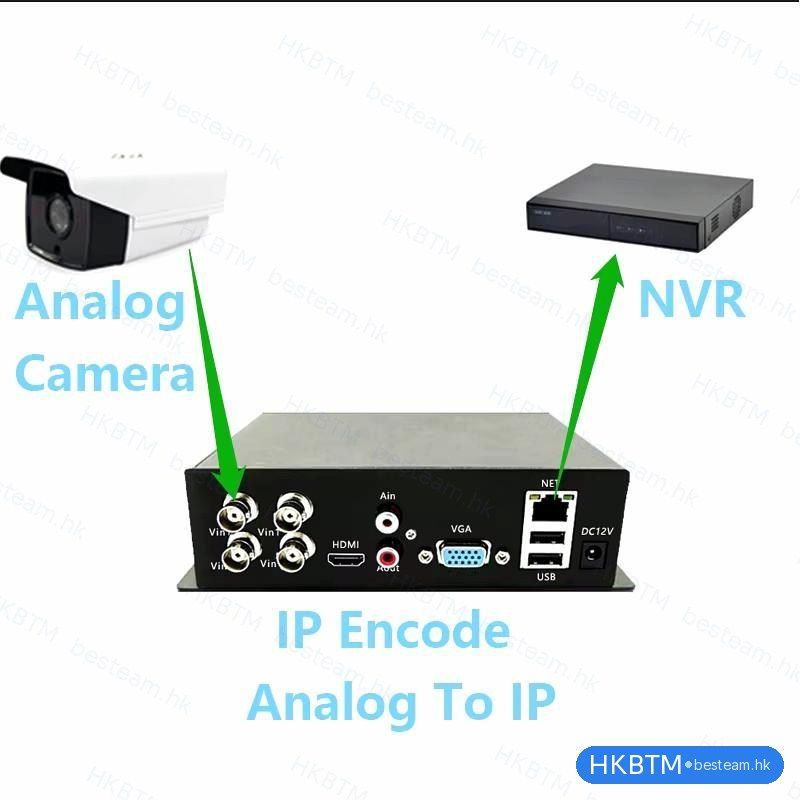
Key features
Everything you need to move analog onto the network.
Any analog format, auto-detected
Each of the four BNC inputs independently recognizes AHD, TVI, CVI, CVBS and 960H. Mix camera brands and types with nothing to configure.
4 × BNC · up to 5MP (5M-N)
Standard IP output
ONVIF and RTSP let the encoder register with virtually any NVR or video-management software as ordinary IP channels, with no vendor lock-in.
ONVIF · RTSP · DVRIP · TCP/IP
H.265 & H.264 compression
H.265 roughly halves the bandwidth and storage of H.264 at the same quality. Every channel carries a main stream for recording and a sub stream for remote viewing.
dual-stream · main + sub
Local monitor, no computer
Simultaneous HDMI and VGA outputs drive a monitor or TV directly for an on-site multi-view at a reception desk, shop floor or guard station.
HDMI + VGA · simultaneous
Remote viewing from anywhere
The free XMEye app for iOS and Android connects through P2P cloud. Scan the device QR code and watch live, with no static IP or port-forwarding.
XMEye · P2P cloud · iOS / Android
Browser-based management
Open the encoder’s address on the LAN to watch live video and configure encoding, image, OSD, motion detection, network and time. No plug-ins.
web UI · live view + full config
Audio in and out
One RCA audio input and one output capture microphone audio alongside video and feed an external speaker or amplifier.
1 × audio in · 1 × audio out (RCA)
Built to install & forget
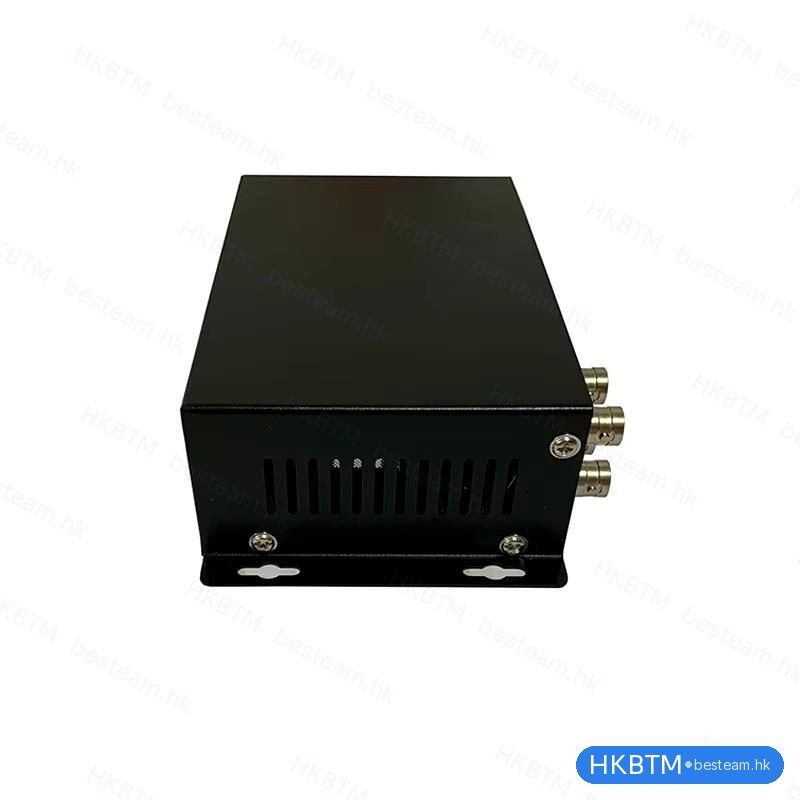
A fanless metal chassis with wall-mount keyhole slots runs silent and cool. Two USB ports take a mouse and a backup drive; one 12V supply powers everything.
fanless metal · wall-mount · 2 × USB
Inputs & outputs
Every connector, explained.
A complete I/O panel on one side of the unit: cameras, network, screens, audio, storage and power.
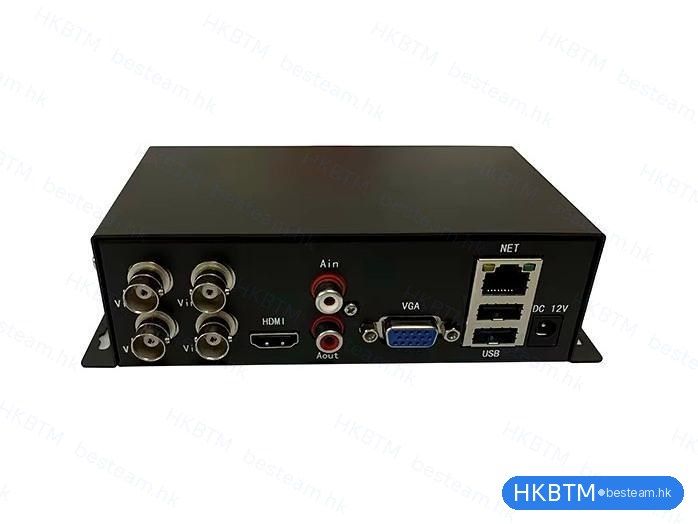
- Vin 1–4
- Analog video inputsFour BNC connectors, one coaxial camera each (AHD / TVI / CVI / CVBS / 960H, auto-detected).
- NET
- Ethernet · RJ4510/100 Mbps network port. Carries the IP video streams and web / app management.
- HDMI
- HD monitor outputDigital video out to a monitor or TV for local live multi-view.
- VGA
- Analog monitor outputDrives a second or legacy monitor at the same time as HDMI.
- Ain
- Audio input · RCALine / microphone audio input, recorded alongside the video.
- Aout
- Audio output · RCALine audio output to a powered speaker or amplifier.
- USB ×2
- USB portsOne for a mouse (local on-screen control), one for a USB drive to back up footage.
- DC 12V
- Power inputSingle 12 V DC barrel jack from the included adapter.
Connection & setup
On the network in five steps.
The encoder and your recording system simply need to share the same local network. From there, record locally, through a VMS, or over the cloud.
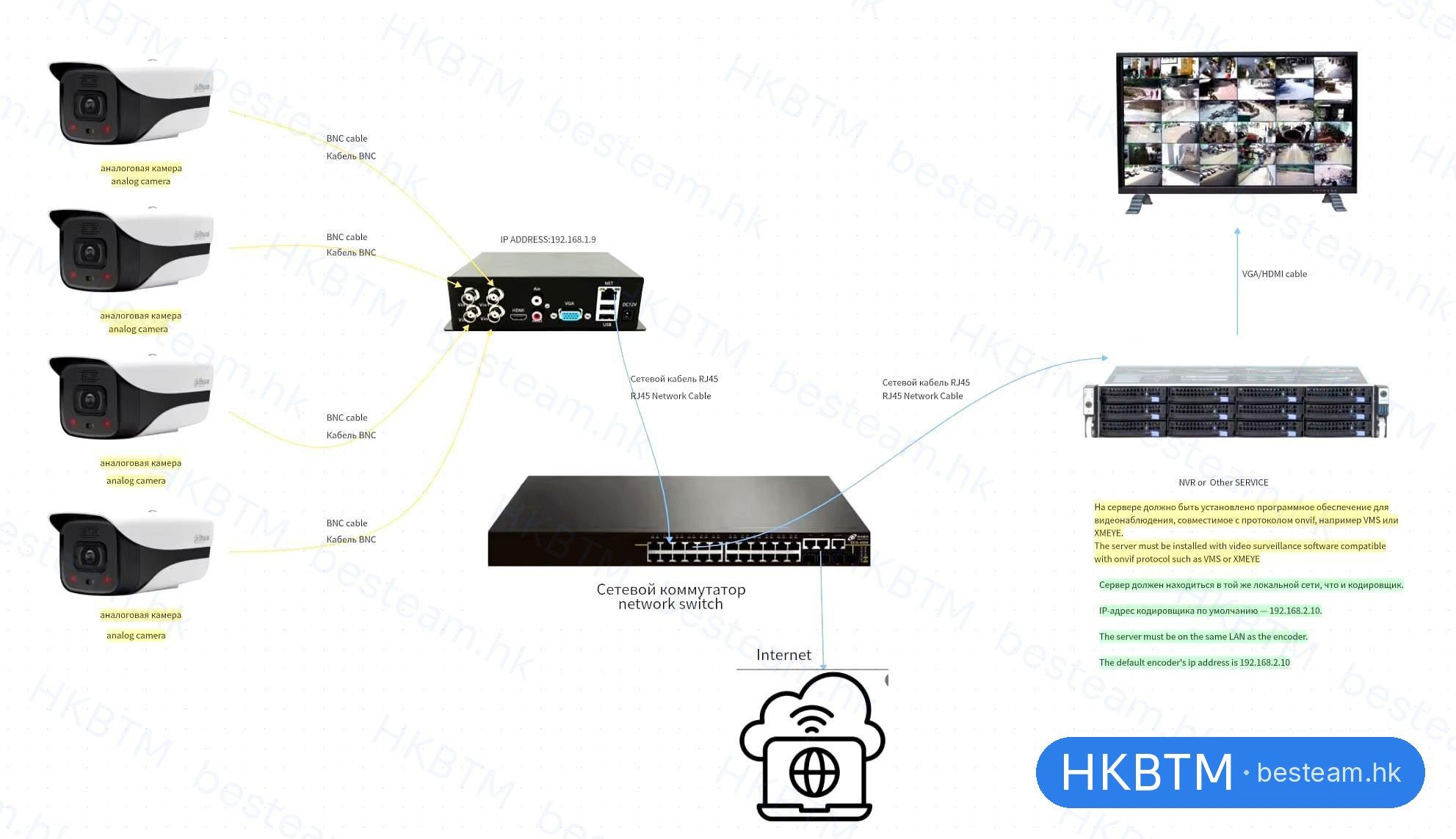
- 1
Connect cameras
Plug each camera’s coax into Vin 1–4. Formats detect automatically.
- 2
Connect network
RJ45 into your switch or router, on the same LAN as your NVR or PC.
- 3
Power on
Connect the 12V adapter. Add an HDMI/VGA monitor for instant local view.
- 4
Find & set up
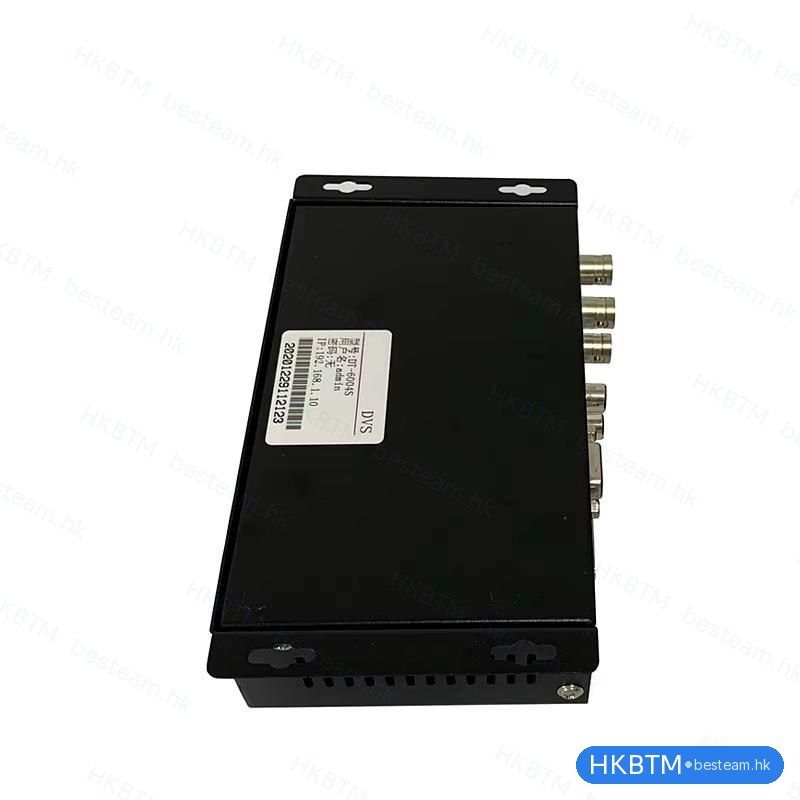
Open its IP (on the label) in a browser or the XMEye app to adjust settings.
- 5
Add to system
Add the channels to your NVR/VMS via ONVIF or RTSP, or view via cloud.
Built-in web interface
Manage and stream from any browser.
Type the encoder’s IP address into a browser. Watch live, copy every stream URL, and configure the unit from a clean modern interface, on a computer or a phone.
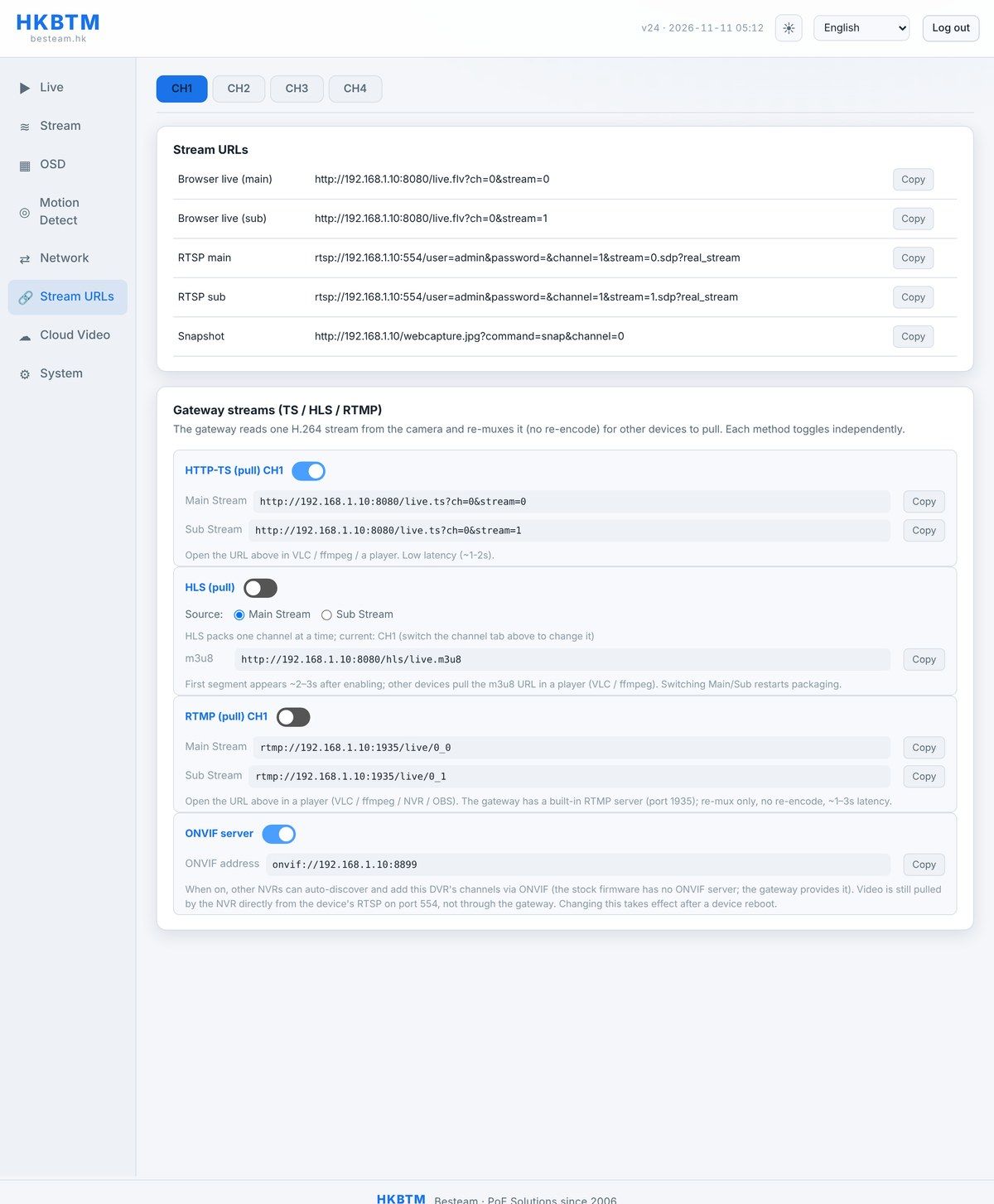
The Stream URLs page: every output, one click away
Choose a channel (CH1–CH4), copy a URL, and paste it into a browser, a media player, an NVR or a VMS. Each protocol toggles on or off independently, and the gateway re-muxes the H.264 / H.265 stream without re-encoding, so there is no extra load and no quality loss.
- Browser live · HTTP-FLV
http://…:8080/live.flvLive in any browser, main or sub stream, no plugin.
- RTSP
rtsp://…:554/…The universal CCTV stream; open in VLC or add to any NVR / VMS.
- HTTP-TS
http://…:8080/live.tsLow-latency (~1–2 s) transport stream for players.
- HLS · m3u8
http://…:8080/hls/live.m3u8Standards-based stream for web pages and phones.
- RTMP
rtmp://…:1935/live/…Built-in RTMP server to push into OBS, a media server or a CDN.
- ONVIF
onvif://…:8899Lets ONVIF NVRs auto-discover and add the channels.
- Snapshot · JPEG
http://…/webcapture.jpgGrab a still image on demand.
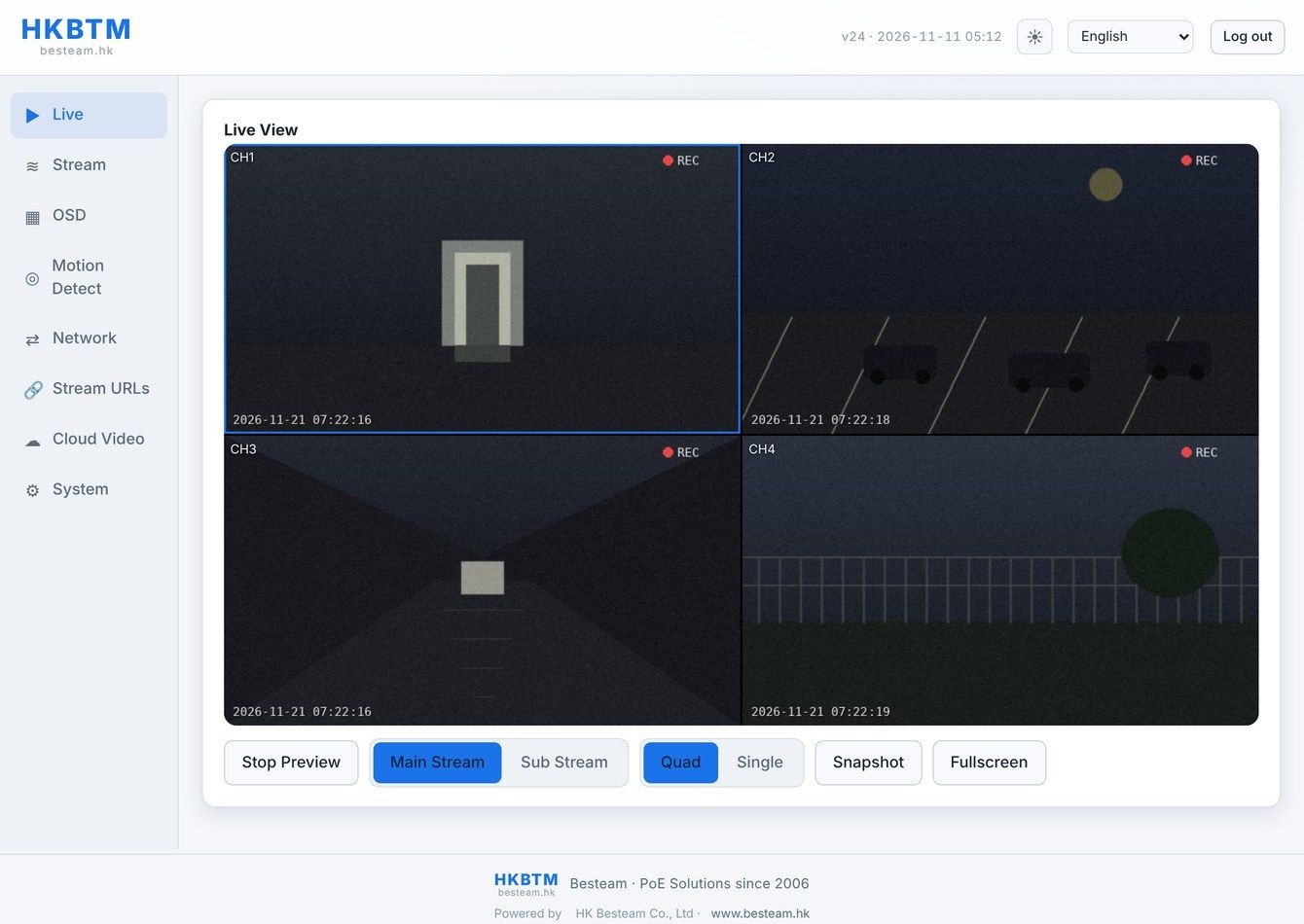
Live View: four channels, straight in the browser
The Live View page plays all four cameras at once over HTTP-FLV, with no ActiveX, plugin or app to download. Switch between main and sub streams, quad or single view, grab a snapshot, or go full-screen. The frame rate follows your encoder settings.
- No plugin
- 4-channel quad
- Main / sub
- Snapshot
- Full-screen
- Light / dark
Compatibility
Works with the systems you already run
The DT-6504S is ONVIF-conformant and outputs standard RTSP, so its four channels drop into the NVRs and video-management platforms of all major brands as ordinary IP cameras.
- Hikvision
- Dahua
- Uniview
- Milestone
- Blue Iris
- Synology
- XMEye
and any ONVIF / RTSP system
Specifications
Technical specifications.
| General | |
|---|---|
| Brand | HKBTM · HK Besteam Co., Ltd |
| Model | DT-6504S (video encoder / DVS) |
| Device type | 4-channel analog-to-IP video encoder (digital video server) |
| Operating system | Embedded Linux |
| Video input | |
| Channels | 4 |
| Connector | 4 × BNC (coaxial) |
| Signal formats | AHD, TVI, CVI, CVBS, 960H, auto-detected per channel |
| Max input resolution | Up to 5MP (5M-N) per channel; also 4MP, 3MP, 1080p, 720p, 960H |
| Encoding | |
| Compression | H.265 / H.264 |
| Streams | Dual-stream per channel (main + sub) |
| Output & audio | |
| Local video output | 1 × HDMI + 1 × VGA (simultaneous live view) |
| Audio | 1 × input + 1 × output (RCA) |
| Network | |
| Interface | 1 × RJ45, 10/100 Mbps Ethernet |
| Protocols | ONVIF, RTSP, TCP/IP, P2P (XMEye cloud), DHCP |
| Remote access | XMEye mobile app (iOS / Android), P2P cloud, web browser |
| Default IP address | 192.168.1.10 (printed on the unit label; configurable) |
| Physical & power | |
| USB | 2 × USB (mouse / storage backup) |
| Power supply | DC 12V (adapter included) |
| Enclosure | Compact metal chassis, fanless (passive cooling), wall-mountable |
Specifications are for reference and may be refined by production batch. Confirm final figures with us before ordering.
Where it fits
Built for the real upgrade jobs.
Anywhere analog cameras need to reach a network, a server, or a phone.
Retrofit analog CCTV
Keep existing cameras and cabling; add network recording, playback and remote access.
Feed a VMS
Bring legacy cameras into ONVIF/RTSP video-management software running on a server or PC.
Expand an IP-only NVR
Add analog cameras to a modern NVR that only accepts IP channels.
Multi-site & cloud
Centralize cameras from several remote sites and view them together over P2P cloud.
Local spot monitoring
Drive a wall monitor over HDMI/VGA for lobbies, retail floors, factories and control rooms.
Integrators & resellers
A low-cost, standards-based bridge that works across camera brands. Easy to stock and deploy.
In the box
What ships with the unit
- DT-6504S video encoder × 1
- DC 12V power adapter × 1
- Mounting screws set
- Quick start guide × 1
Box contents are typical; confirm the exact package with us.
Questions
Frequently asked
Will it work with my NVR?
If your NVR supports ONVIF or RTSP (the large majority do), yes. The encoder’s channels are added just like IP cameras. You can also pull a direct RTSP URL into most software.
Can I mix different camera types?
Yes. Each of the four BNC inputs detects its signal independently, so you can connect AHD, TVI, CVI and CVBS cameras on the same unit at the same time.
Do I need a computer to watch?
No. Connect a monitor over HDMI or VGA for an instant local view, or use the free XMEye phone app. A browser on the LAN is only needed when you want to change settings.
What is the maximum resolution?
Up to 5MP (5M-N) per channel, with support for lower resolutions such as 4MP, 3MP, 1080p, 720p and 960H.
Can I view it over the internet?
Yes. XMEye P2P cloud connects through the device’s QR code / serial, so remote viewing works without a static IP address or router port-forwarding.
How many streams per channel?
Each channel outputs a main stream (high quality, for recording) and a sub stream (low bandwidth, for smooth remote and multi-view), simultaneously.
Get a quote
Ready to quote the DT-6504S?
Wholesale pricing, samples, custom firmware and OEM branding are available. Share your quantity and target market and we’ll get back to you.
Model DT-6504S · 4-channel analog-to-IP video encoder